Public Beta
AURA Calendar
Welcome to the First Public Beta
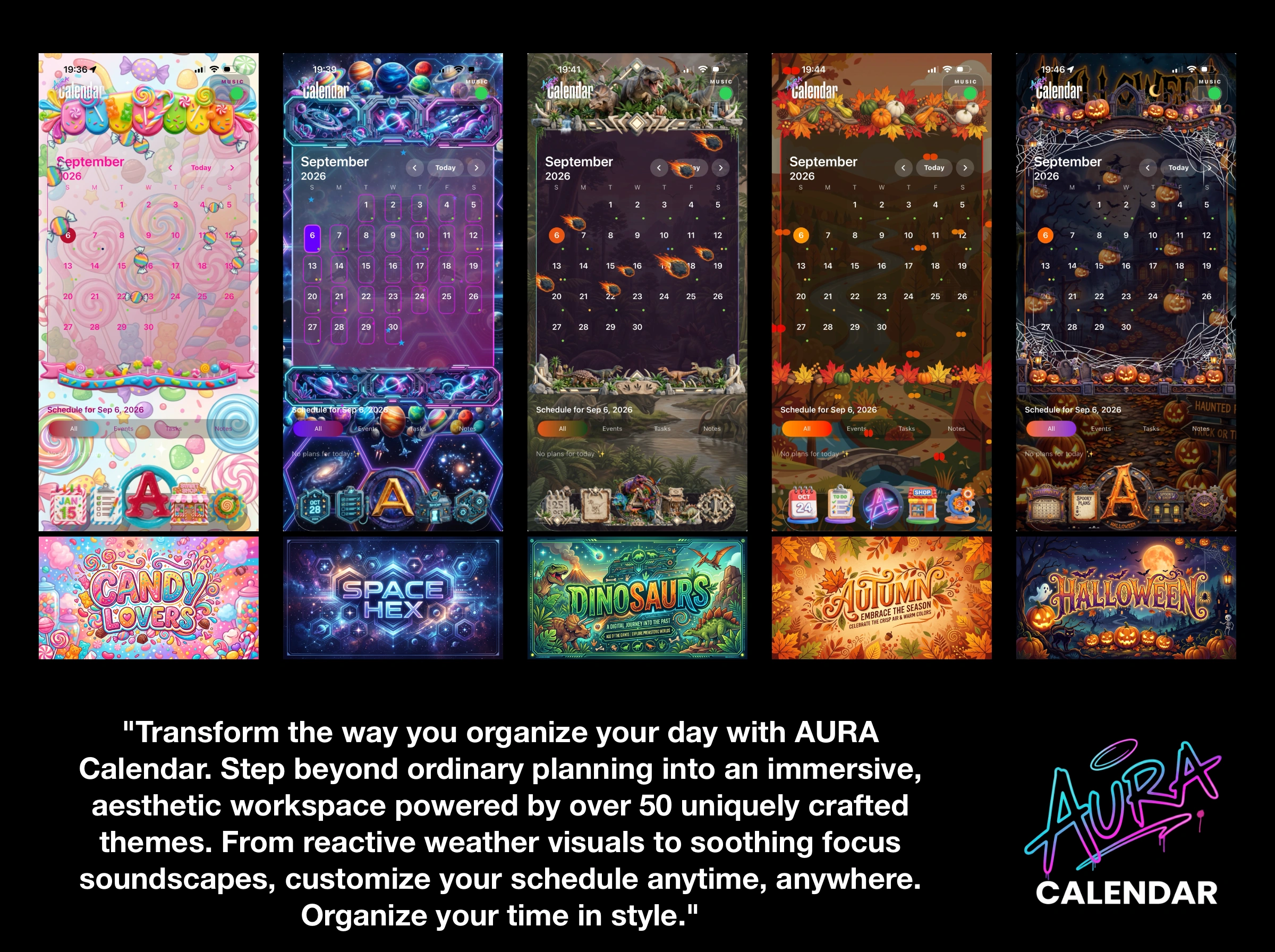
Welcome — this is our first public beta, so anything you notice is useful. We have crafted AURA Calendar to transform the way you organize your day, stepping beyond ordinary planning into an immersive, aesthetic workspace powered by over 50 uniquely crafted themes, reactive weather visuals, and soothing focus soundscapes.
Start Here
- Open the app: It starts with no theme on purpose, so you can see the difference when you apply one.
- Allow permissions as they come up: Each one unlocks specific features. Calendars let your real events appear; Reminders sync your tasks with Apple Reminders; Location powers weather updates (deny it, and everything else still works); Microphone is used solely when recording a voice memo in a journal entry; and Notifications handle event alerts.
- Configure your calendars: Go to Settings and turn on the calendars you actually use. Nothing appears until you do.
Then Try This, in Any Order
- Apply a theme: Tap the shop icon, pick any free theme, download it and apply it. Watch how everything changes — background, icons, fonts, colors, and the particles drifting across your screen.
- Create one of each: Tap the "A" button in the middle of the tab bar to create an event, a task, and a journal entry. Assign a category to your event.
- Check the Planner: Tap the clipboard icon and move through the four views at the top: day, list, month-by-month, and year. Your Apple Calendar events should sit seamlessly alongside the ones you created here.
- Add the widget: Long-press your Home Screen and add the Aura Calendar widget in any of its three sizes. It will match the active theme of the app.
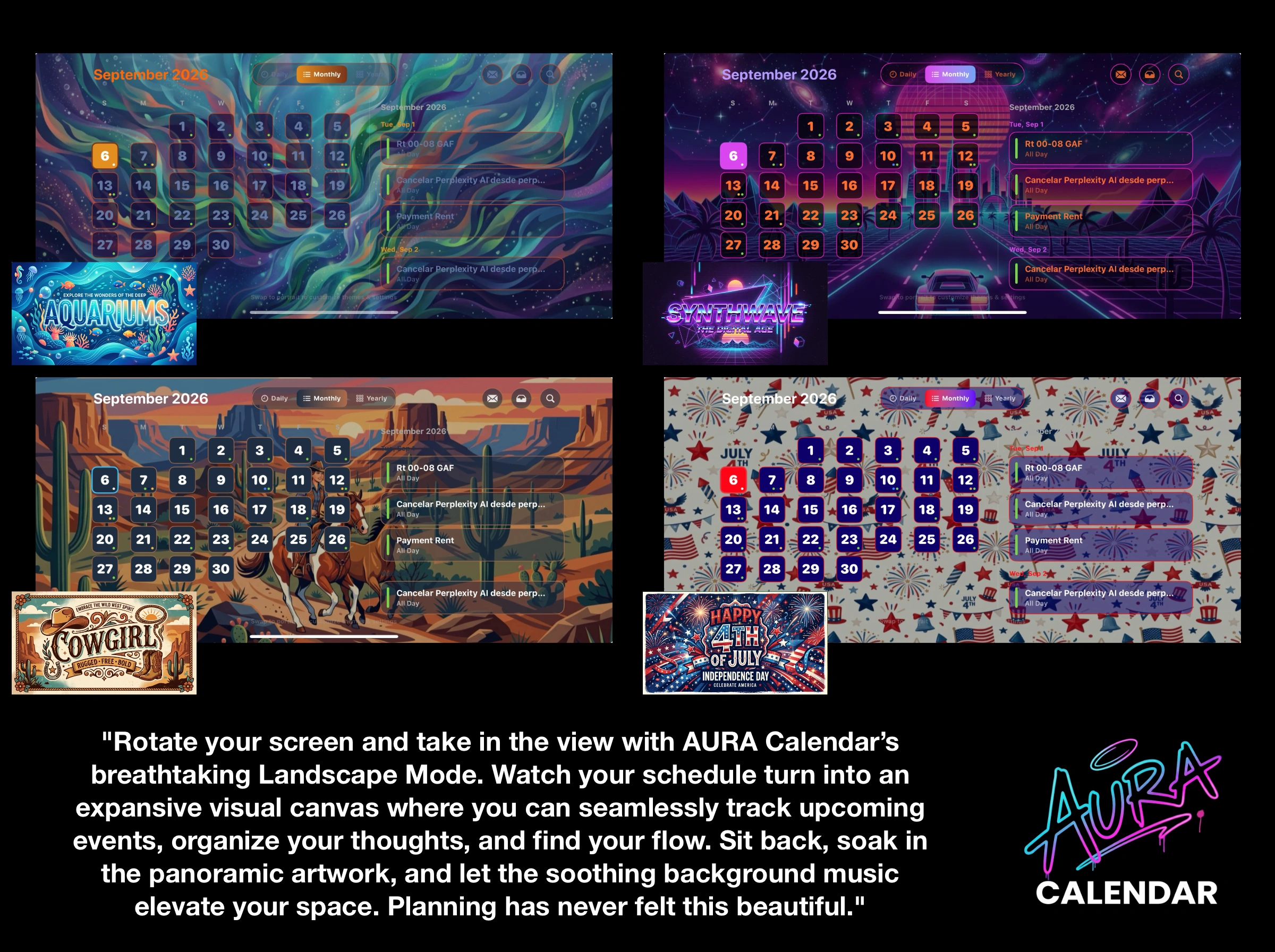
- Turn the phone sideways: Experience a dedicated landscape screen built explicitly for wide views.
- Interactive context menus: Press and hold anything in the Planner to pop open a menu allowing you to edit, duplicate, share, or delete items.
- Explore the shop: Browse the premium themes and try purchasing one. Don't worry—purchases in TestFlight complete safely inside Apple's sandbox environment for free.
What We Most Want to Hear
Please share your iPhone model if anything looks out of place. Because we build against a fixed layout and scale it dynamically across screens, art landing slightly off—such as a header sitting too high, a button misaligned, or content clipped at an edge—is precisely what we cannot catch on our own devices. A screenshot paired with your device model tells us more than any description.
Also worth reporting:
- A theme that fails to download or looks incorrect after applying.
- A tap that registers no action or opens the wrong element.
- Anything that abruptly closes or crashes the app.
- A permission prompt that reads oddly or requests something unnecessary.
What Is Expected, Not a Bug
- Premium themes are entirely free during the beta phase due to the TestFlight sandbox environment.
- Some themes may appear cropped in landscape mode; we are rolling out dedicated landscape artwork theme by theme.
- Weather data will remain blank if location permission is denied.
- Browsing the shop requires an active internet connection since themes download dynamically from our servers.