
Your duty. Your pay. Your port.
FedLog is the shift and pay companion for federal officers at the Ports of Entry. Track your premium pay cap, plan your rotation, see what every day pays and keep the tools you use on duty in one secure app.
FedLog is in beta testing and coming soon to the App Store. Officers can ask to join the beta.
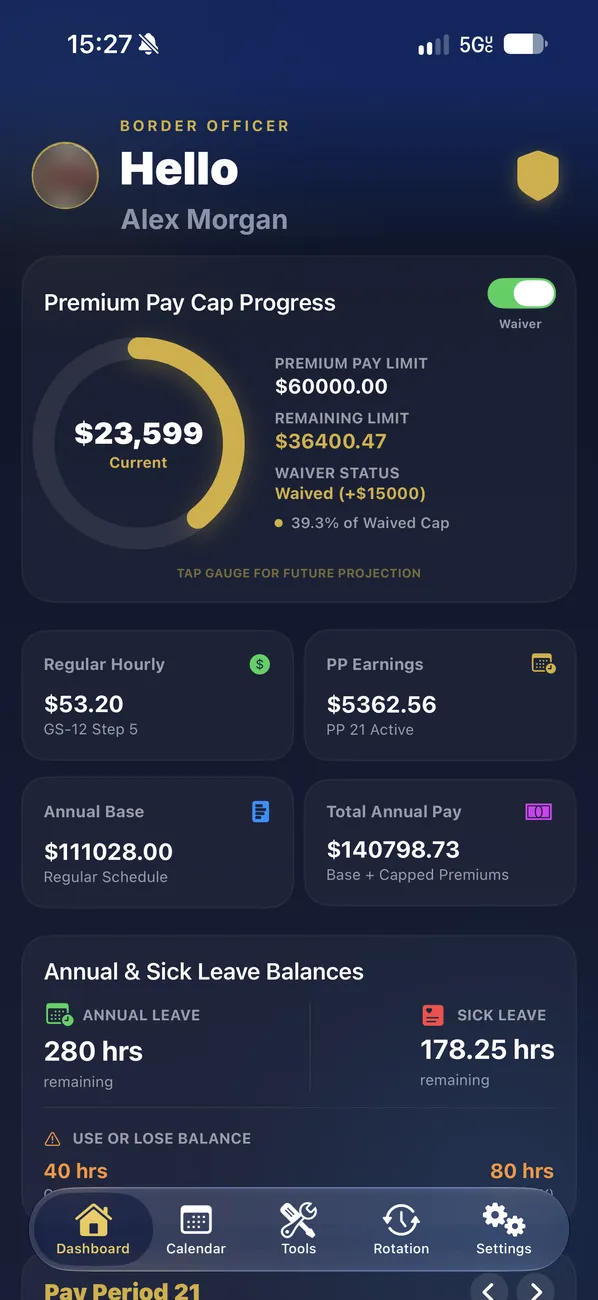
Your premium pay cap, always in sight.
A live gauge shows how close you are to the premium pay limit, including an approved waiver, and how much room is left. Tap it to project the rest of the year.
- Regular hourly rate from your grade and step
- Current pay period earnings
- Annual base and total annual pay (base plus capped premiums)
- Annual and sick leave balances, with your use-or-lose hours
Every day shows what it pays.
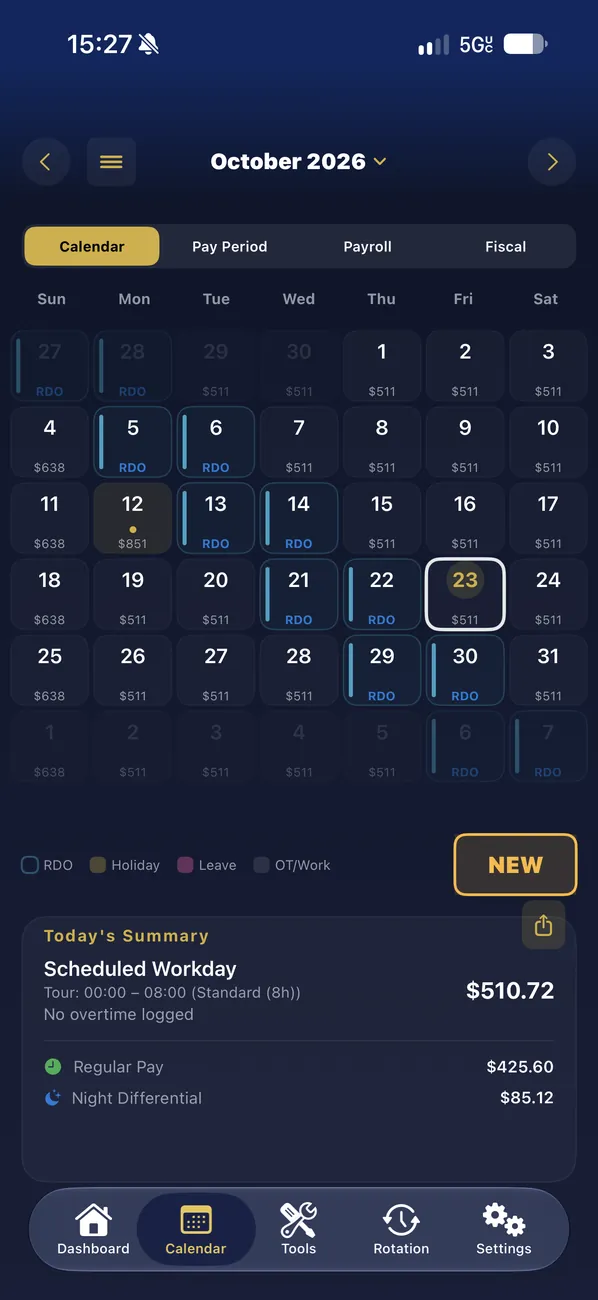
Your schedule with the earnings of each day, RDOs, holidays, leave and overtime at a glance. Today’s summary breaks the day into regular pay, night differential and premiums.
- Calendar, Pay Period, Payroll and Fiscal views
- Log overtime and leave from any day
- Share or export your schedule as a PDF
Your rotation, applied in one tap.
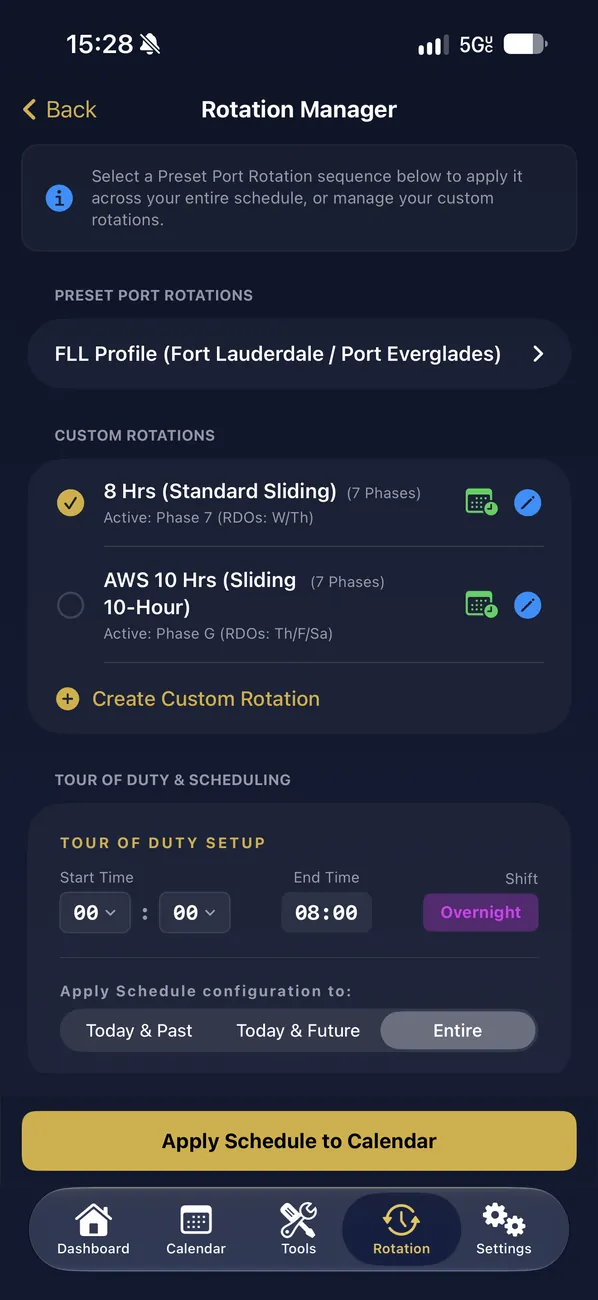
Pick a preset port rotation, or build your own sliding or fixed schedule with its RDO phases, set your tour of duty, and apply it to today, the future or the whole calendar.
- Preset port rotations
- Custom rotations: 8-hour standard sliding, AWS 10-hour and more
- Tour of duty with morning, swing or overnight shifts
Built on the official pay tables.
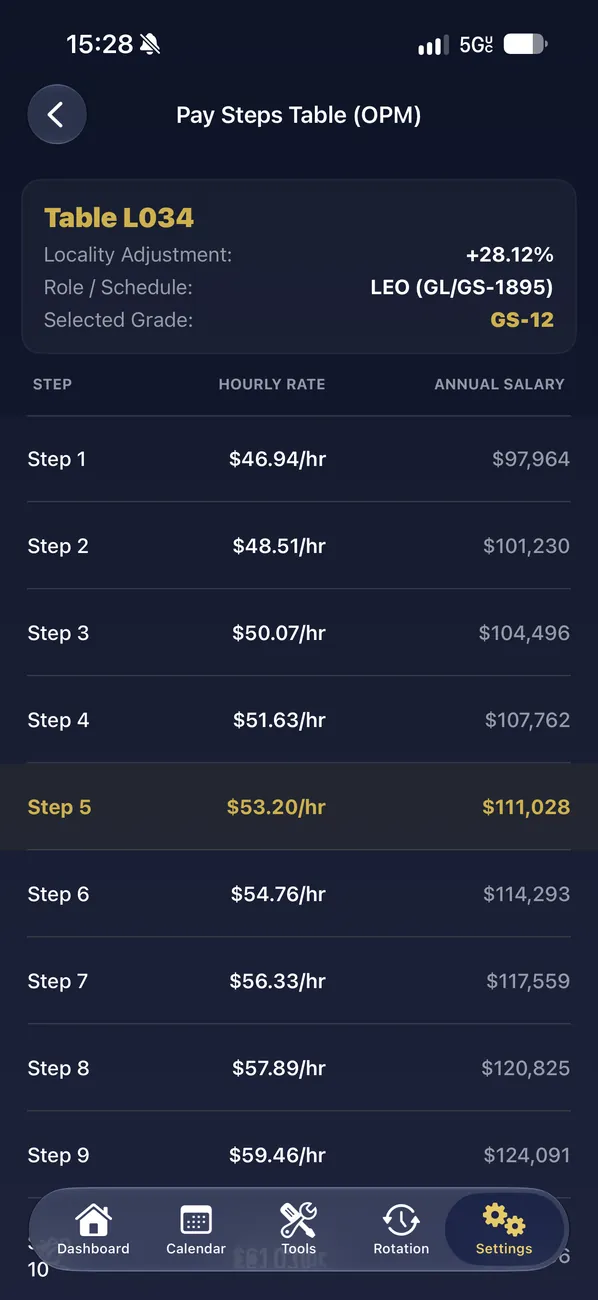
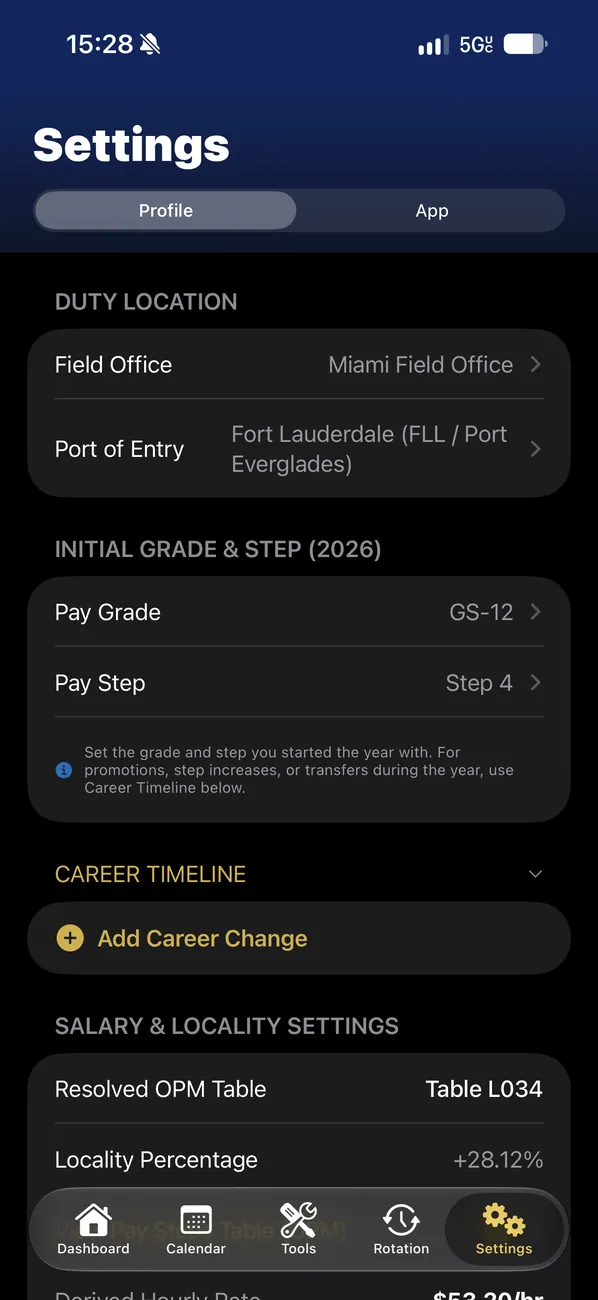
Set your field office, port of entry, grade and step, and FedLog resolves your OPM locality table, locality percentage and hourly rate. Promotions and step increases go in your career timeline.
- OPM pay tables with locality adjustment
- LEO pay schedules
- Career timeline for promotions, steps and transfers
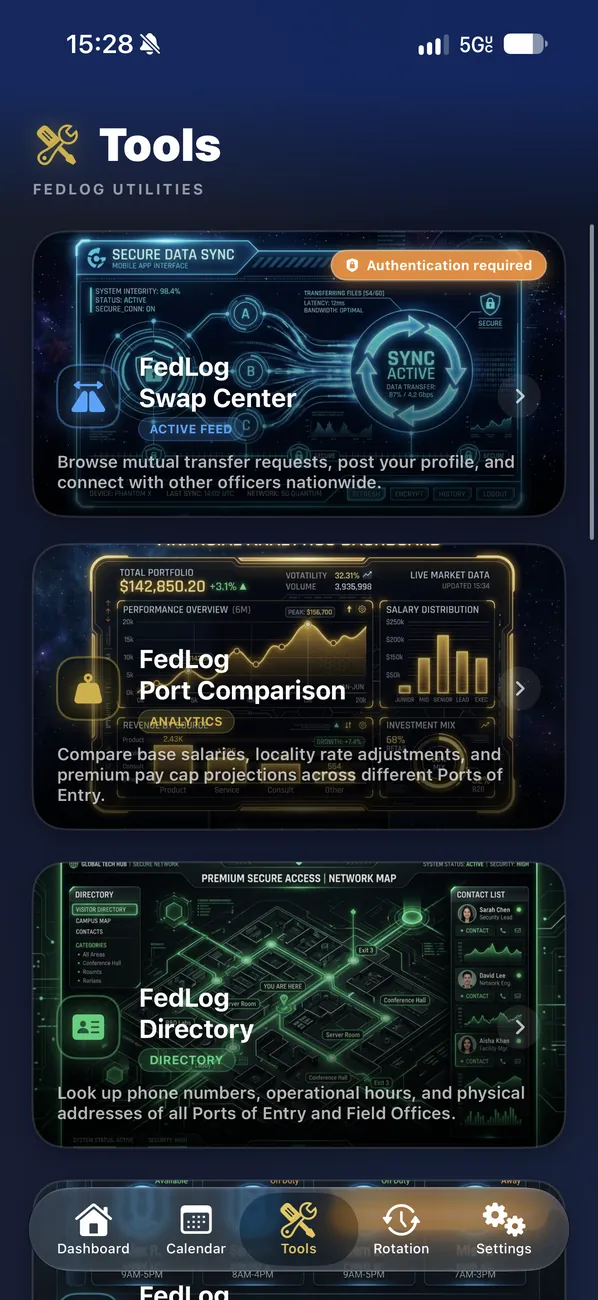
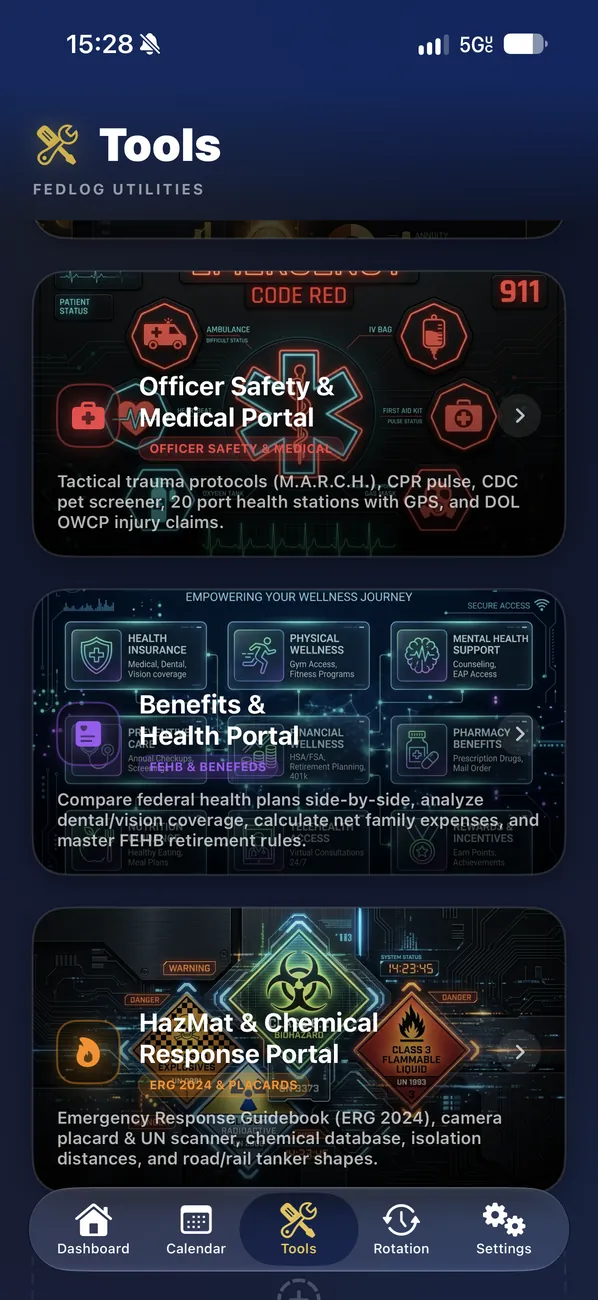
Nine tools for the job.
Reference, community and safety tools built around the work at the Ports of Entry.
Browse mutual transfer requests, post your profile, and connect with other officers nationwide.
Verified officers onlyCompare base salaries, locality rate adjustments and premium pay cap projections across Ports of Entry.
Phone numbers, operational hours and physical addresses of all Ports of Entry and Field Offices.
A digital pocket field guide compiled from official sources for rapid reference on immigration laws, admissibility and regulations.
LEO pension estimates, TSP withdrawal rules, FERS supplements and retirement agency directories.
See the daily shifts, rotations, RDOs and leave status of the colleagues at your port who use FedLog.
Verified officers onlyTactical trauma protocols (M.A.R.C.H.), CPR pulse, CDC pet screener, port health stations with GPS and DOL OWCP injury claims.
Compare federal health plans side by side, analyze dental and vision coverage, estimate family costs and FEHB retirement rules.
ERG 2024, a camera placard and UN scanner, the chemical database, isolation distances and road and rail tanker shapes.
Only officers in the Swap Center and Teammates.
The community features need a FedLog account verified with an official @dhs.gov or @cbp.dhs.gov email address, with a code sent to that address. Everything else works on your iPhone without an account.
A closer look
Try everything free for 15 days.
Then keep FedLog Pro with a monthly or yearly subscription, processed securely by the App Store.
Start with the 15-day free trial. Subscriptions renew automatically until you cancel; manage or cancel anytime in Settings → [your name] → Subscriptions.
- Swap Center & Port Comparison
Post trades in real time and compare ports side by side. - Teammates & Directory
Your colleagues’ schedules and every station’s contacts. - Earnings & premium pay cap tracker
Rates, differentials and overrides, so you do not work past the cap. - Literature & Retirement
Handbook search, retirement estimates and leave payouts. - Custom rotations & premium views
Saved rotations plus the Pay Period, Payroll and Fiscal calendars.
Testing FedLog?
Send feedback right from TestFlight: take a screenshot in FedLog and tap Share Beta Feedback. Or write to us.
FedLog supportYour data, protected
Your schedule, pay and leave stay on your iPhone. Only what you choose to share in the Swap Center and Teammates goes to your FedLog account, and sharing is off until you turn it on.
Privacy Policy